Battlegrounds Mobile India, popularly known as BGMI, is among the most played mobile game of the battle royale genre in India. BGMI is the Indian adaptation of the popular PUBG Mobile game and entails engaging and exciting multi-player gameplay where players compete against each other until the end. The players can choose whether to play the game alone or team up with others to have an enjoyable experience in the game. Nevertheless, there is one challenge that most players share, which entails finding suitable Best BGMI Sensitivity Settings.
The game becomes quite challenging without proper settings when it comes to aiming and moving around.
What Are BGMI Sensitivity Settings?
The sensitivity settings in BGMI allow players to customize their aim and camera speed within the game. These sensitivity settings help players tailor their control settings based on their comfort level.
With proper sensitivity settings, you can aim accurately, react quickly, and control your recoil. This is why sensitivity settings play an essential role in boosting your performance.
There are generally five types of sensitivity settings in BGMI:
- Camera Sensitivity (Free Look): Helps you to change the direction of your view when not aiming
- Camera Sensitivity: Helps you to move the camera while aiming down sight
- ADS Sensitivity: Helps you to aim accurately in the crosshair
- Gyroscope Sensitivity: Helps you aim by rotating your phone
- ADS Gyroscope Sensitivity: Helps you aim with ADS and gyroscope
How to Change Sensitivity Settings in BGMI?
Changing sensitivity settings is very easy. Just follow these steps:
- Open BGMI and go to the main lobby
- Tap on the arrow icon at the bottom right corner
- Open the Settings menu
- Click on the Sensitivity option
- Adjust the sliders as per your need
- Tap on Apply to save changes
Moving the slider to the right increases speed, while moving it left reduces sensitivity.
Take your time and test different values to find what suits you best.
Best Camera Sensitivity Settings
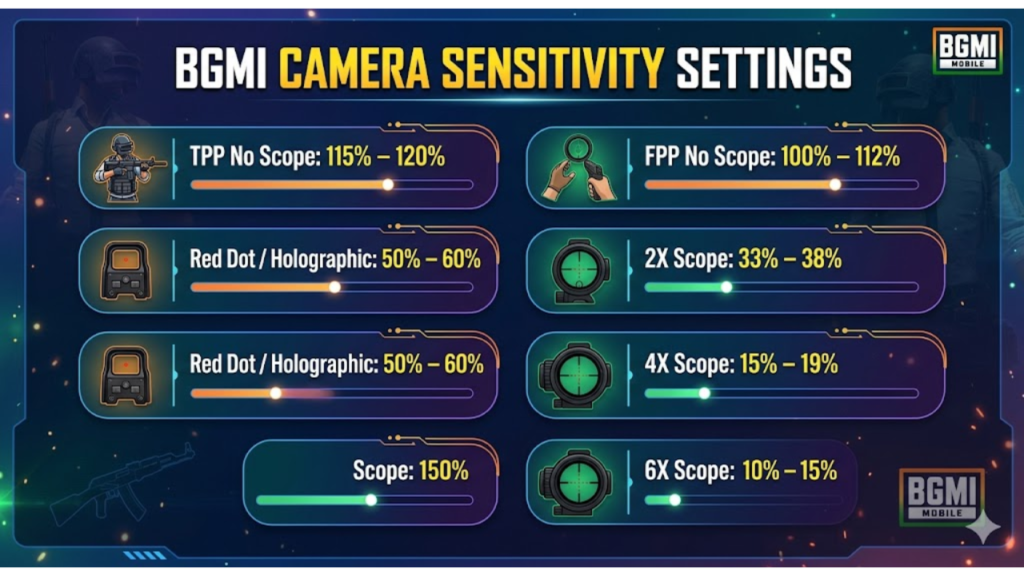
Camera sensitivity plays a major role in controlling your view and aim. Here are some recommended values:
- TPP No Scope: 115% – 120%
- FPP No Scope: 100% – 112%
- Red Dot / Holographic: 50% – 60%
- 2X Scope: 33% – 38%
- 3X Scope: 25% – 30%
- 4X Scope: 15% – 19%
- 6X Scope: 10% – 15%
These values help you move your camera smoothly and track enemies easily.
Best ADS Sensitivity Settings
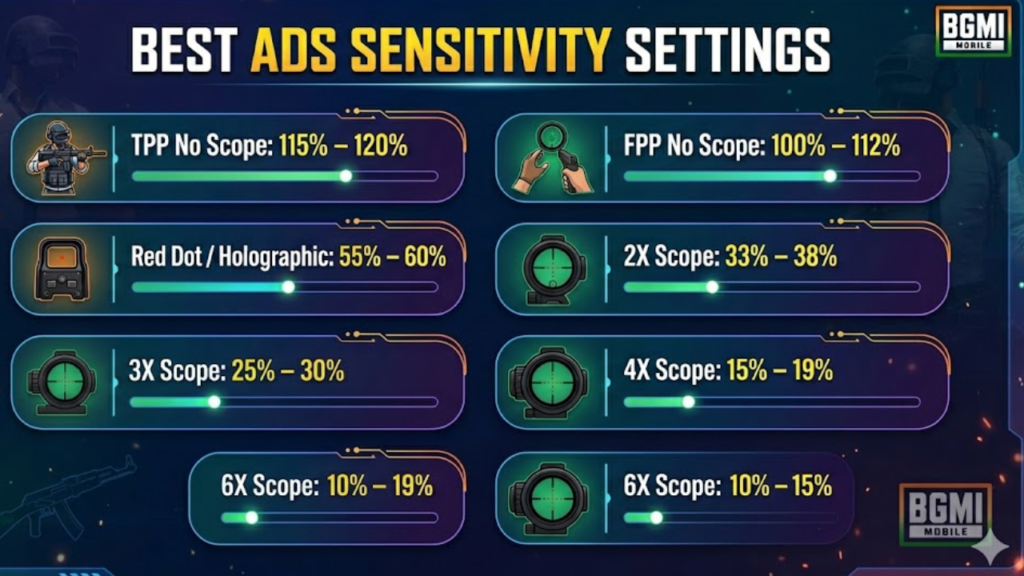
ADS sensitivity helps improve your aim while shooting. Proper settings reduce recoil and improve accuracy.
Recommended ADS values:
- TPP No Scope: 115% – 120%
- FPP No Scope: 100% – 112%
- Red Dot / Holographic: 55% – 60%
- 2X Scope: 33% – 38%
- 3X Scope: 25% – 30%
- 4X Scope: 15% – 19%
- 6X Scope: 10% – 15%
Lower ADS sensitivity gives better control, while higher values make aiming faster.
Free Look Camera Settings
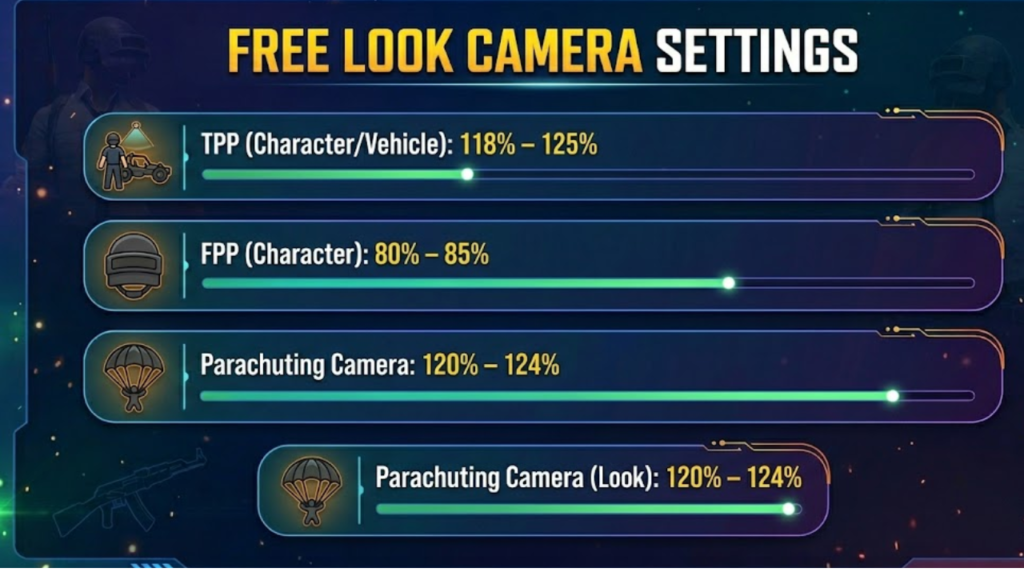
Free look sensitivity helps you look around without aiming. This is useful for checking surroundings.
Recommended values:
- TPP (Character/Vehicle): 118% – 125%
- FPP (Character): 80% – 85%
- Parachuting Camera: 120% – 124%
With these settings, you can easily explore the map and spot enemies.
Best Gyroscope Settings (Always On)
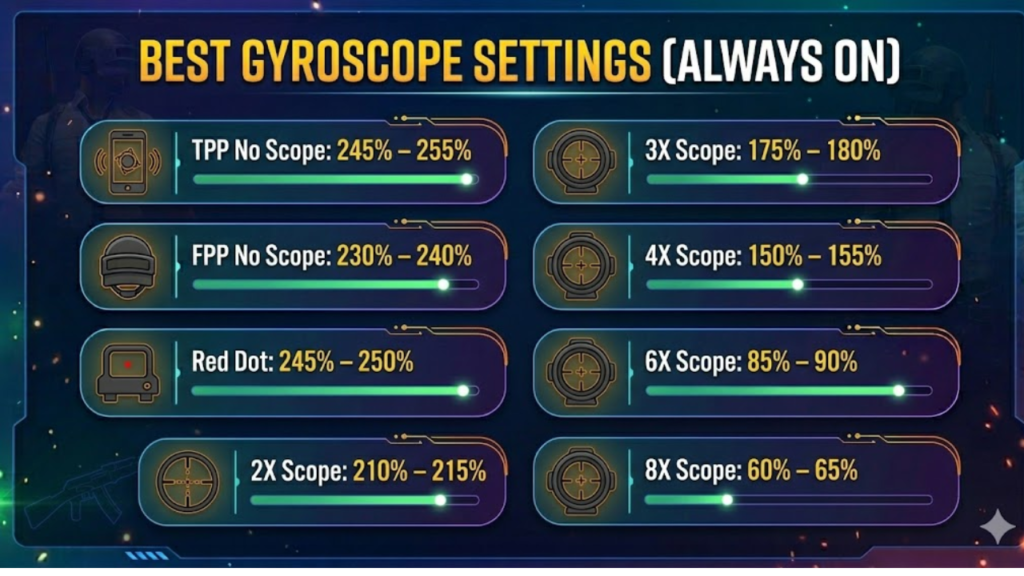
If you use gyroscope, these settings can improve your aiming accuracy a lot.
- TPP No Scope: 245% – 255%
- FPP No Scope: 230% – 240%
- Red Dot: 245% – 250%
- 2X Scope: 210% – 215%
- 3X Scope: 175% – 180%
- 4X Scope: 150% – 155%
- 6X Scope: 85% – 90%
- 8X Scope: 60% – 65%
Gyroscope helps in recoil control and quick aiming during fights.
ADS Gyroscope Sensitivity
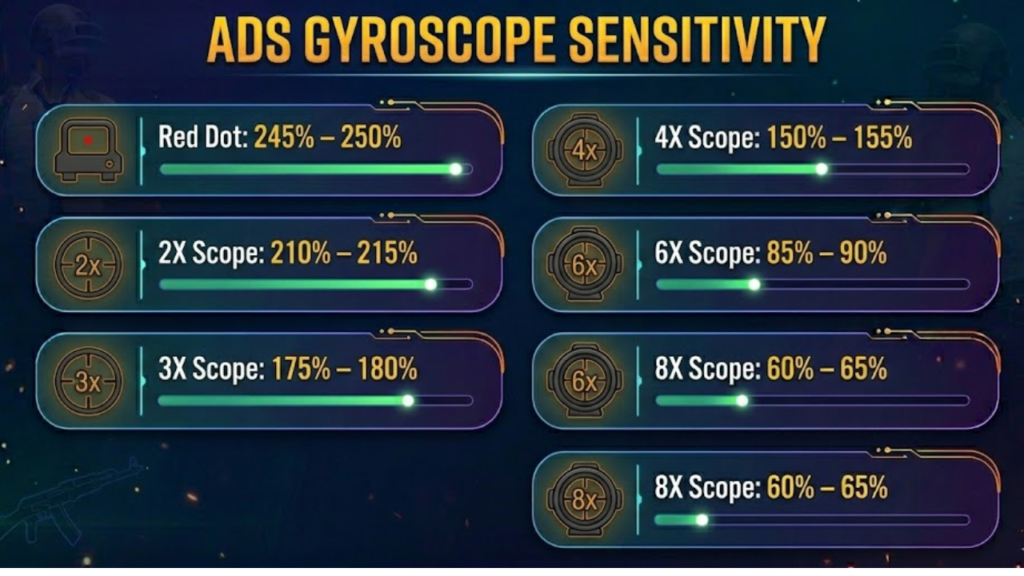
These settings work when you use ADS along with gyroscope:
- Red Dot: 245% – 250%
- 2X Scope: 210% – 215%
- 3X Scope: 175% – 180%
- 4X Scope: 150% – 155%
- 6X Scope: 85% – 90%
- 8X Scope: 60% – 65%
These values help you maintain stable aim during shooting.
Gyroscope Settings (Scope On Mode)
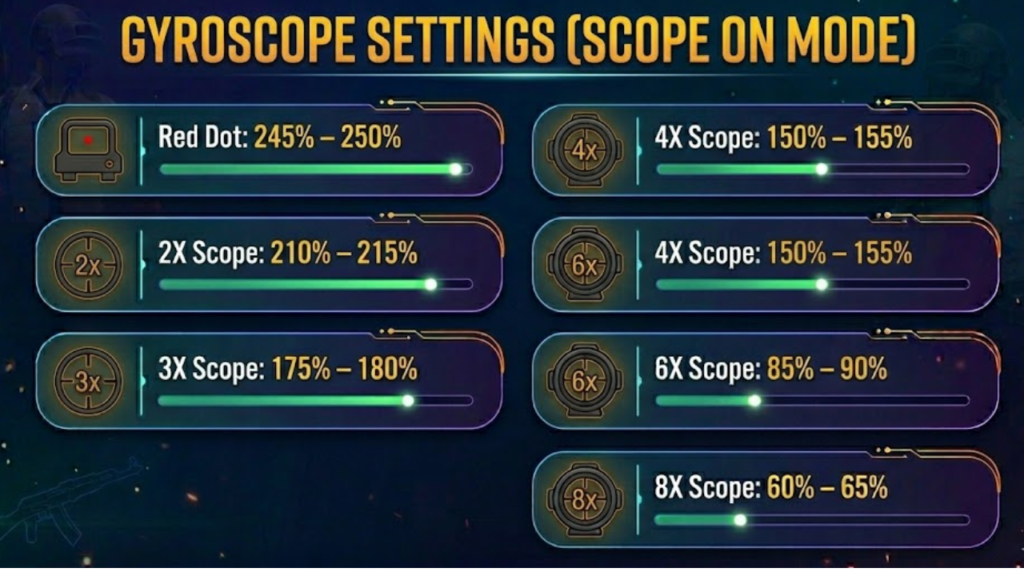
When using scope-on mode, apply these settings:
- Red Dot: 245% – 250%
- 2X Scope: 210% – 215%
- 3X Scope: 175% – 180%
- 4X Scope: 150% – 155%
- 6X Scope: 85% – 90%
- 8X Scope: 60% – 65%
These settings provide smooth and accurate control with scopes.
How to Reset Sensitivity Settings
If you want to go back to default settings:
- Open BGMI
- Go to Settings
- Select Sensitivity
- Choose Medium option
This will reset all values to default.
Tips to Find Best Sensitivity
The ideal sensitivity varies from one player to another. That which may be ideal for someone else might not necessarily suit you.
Therefore, experiment with the settings and practice as much as you can. Gradually tweak your sensitivity values until you are comfortable.
Moreover, always test your sensitivity values through training mode before applying them in actual matches.
Conclusion
BGMI is a highly competitive and exciting game where having good control and accurate aim is very crucial. The use of appropriate sensitivity settings will have a significant impact on your performance.
In essence, with proper tweaks in your settings, you will enhance your aim and reflexes and therefore emerge victorious in many engagements. Nonetheless, note that practice will also contribute significantly to your success.
