
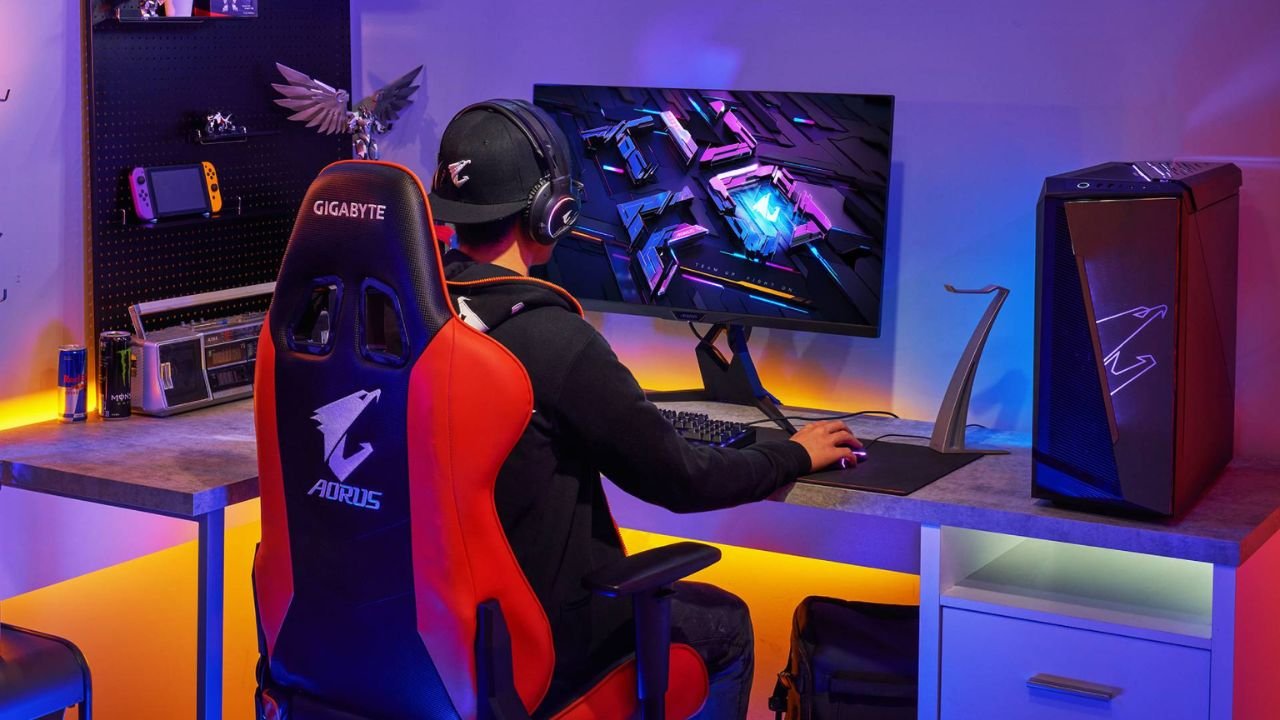
Not because there are no good options. There are. It’s because the internet is flooded with “best gaming chairs” lists that feel like they were written by someone who has never sat in any of them for more than 90 seconds. You know the type. Bullet points. Copy-paste specs. “Premium PU leather.” “Ergonomic design.” Then you buy it, assemble it, sit down, and two hours later, you’re doing that subtle wiggle thing trying to stop your legs from going numb.
So this guide is different. Not perfect, not lab tested with pressure maps. Just practical. The goal is real comfort and real value, based on what actually matters after week 3, not day 1.
Why most “best gaming chair” lists don’t help in 2026
Most lists fail for the same reasons:
- They compare chairs like they’re graphics cards. “This one has 4D arms, this one reclines to 165 degrees.” Cool. But does the lumbar support land in the right place for your back? Does the seat edge cut into your thighs? Does it wobble when you lean back?
- They ignore fit. Chair comfort is mostly about dimensions and adjustability range. A chair can be “highly rated” and still be totally wrong for your body.
- They reward looks. The chair that photographs well is not always the chair that feels good for six hours.
What actually matters for comfort and value in 2026:
- Ergonomics that fit real bodies (not just “racing style” curves)
- Adjustability range (seat height, arms, lumbar, tilt tension)
- Materials that don’t cook you or peel in a year
- Warranty and returns you can actually use
- Long session support that doesn’t collapse or create pressure points
What you’ll get here:
- Practical picks by budget and use case
- A quick framework so you can choose based on your body and setup
- Honest “who should skip this” notes, because every chair has trade offs
What “real comfort” means (the non-negotiables)
Let’s define comfort, because a lot of chairs are “comfortable” in the same way a couch is comfortable. Nice for 20 minutes. Terrible for posture. Worse after a month.
Seat comfort basics
The seat is where most gaming chairs fail.
- Seat width and depth have to match you. Too narrow and you get that bucket squeeze. Too deep and the front edge hits behind your knees or forces you to slouch.
- Front edge pressure matters more than people think. If the seat edge is sharp or the foam is too firm at the lip, your thighs start complaining.
- Foam density beats “pillowy softness.” Super soft seats feel great in the first week, then they bottom out. You want supportive foam that holds shape. Slightly firm is usually better long term.
- Avoid bucket seat squeeze unless you love it. A lot of racer chairs curve inward. If you sit cross legged sometimes, or you just want room, that can get annoying fast.
Back support that actually works
- Lumbar support needs to land in the right spot. If it’s too high, it pushes your mid back. Too low, it does nothing.
- Most lumbar pillows are… fine. But they shift, they compress, and they rarely match your spine curve. Built in adjustable lumbar is usually better if it’s well designed.
- Adjustable lumbar is worth paying for if you sit a lot. Especially if you work and game in the same chair.
Arm support (underrated)
Bad armrests create shoulder pain. It’s that simple.
- 3D or 4D arms help you match desk height and width.
- You want your shoulders relaxed, elbows around 90 degrees, wrists not floating.
- If the arms are fixed or too low, you end up shrugging or leaning.
Recline + tilt, and why rocking matters
A chair that reclines a lot but has a bad tilt mechanism is basically a lounge trap.
- Synchro tilt or good rocking matters because it lets you move. Movement is comfort.
- Safe recline ranges are more about stability than the number. 165 degrees is meaningless if the base feels sketchy.
- Check the base quality and how solid it feels when you lean back. Wobble is a red flag.
Quick self-check: choose the right chair in 60 seconds
Do this before you click buy.
1) Measure your setup
- Desk height
- Monitor height
- Your floor to seat target (so your feet are flat)
If your desk is high and your chair can’t go high enough, you’ll raise the seat, then your feet dangle, then your lower back gets mad. It’s a chain reaction.
2) Match your body
- Height and weight range (obvious, but check the chair size chart)
- Thigh length for seat depth (deep seats punish shorter legs)
- Shoulder height for backrest
3) Pick your feel
Choose between a firm ergonomic feel (better posture, less sink) or a plush lounge feel (comfy, but can encourage slouching). Then consider upholstery:
- Fabric: softer, usually cooler than PU
- Leatherette/PU: looks clean, can get hot, can peel if cheap
- Mesh: best airflow, very “different” feel
4) Decide must haves
Common must haves in 2026:
- Adjustable lumbar (if you sit a lot)
- Headrest (nice for recline, not always needed upright)
- Quiet casters (especially in apartments)
- Breathable upholstery (hot rooms)
- Strong warranty and painless returns
5) Red flags to avoid
- Fixed arms
- Thin foam that bottoms out fast
- Wobbly tilt or loud creaking out of the box
- Fake leather that looks shiny and plasticky
- No real return policy, or return shipping that costs half the chair
Best Gaming Chairs 2026 (overall picks)
“Overall” here means the best mix of comfort, adjustability, materials, and long term value. Not the most dramatic design. Not the one with the biggest logo.
Quick who’s it for lens before the picks:
- Streamers: comfort over long sessions, stable arms, breathable options
- Work + gaming hybrids: real ergonomic support, not just recline
- Hot climates: mesh or breathable fabric, less heat trap
- Tall users: proper back height and seat depth, no shoulder cutoff
- Small rooms: quieter casters, less bulky footprint, cleaner look
Best overall for most people: Secretlab TITAN Evo (2026-safe pick)
Secretlab is the easy pick here because it covers the basics better than most gaming brands, and it comes in multiple sizes. That matters. A lot.
Why it’s a top overall choice:
- Broad sizing and decent fit guidance
- Solid build, stable base, good overall finish
- Supportive feel that holds up for long sessions
- Adjustability is actually useful, not just marketing
Comfort notes:
- The seat is on the firmer side. Some people hate that at first, then love it after a week because it stops the sink and keeps posture steady.
- Back support feels structured. You’re not melting into it. Good for long sessions, especially if you tend to slouch.
Key features to highlight:
- The lumbar system is one of the main reasons people buy it. It’s not perfect for every spine, but it beats a floppy pillow for most users.
- Armrest adjustability is solid. Dialing arms to desk height is a big quality of life thing.
- Recline and tilt feel stable. It doesn’t feel like it’s going to tip when you lean back.
Who should skip it:
- If you want a very soft, couch like seat. This is not that.
- If you want that ultra airy mesh feel in a hot room. Fabric helps, but mesh is still mesh.
Value notes:
- Choose sizing carefully. If you’re between sizes, don’t guess. Use their chart and be honest about how you sit.
- Add ons can get expensive. If you’re trying to keep value high, focus on the chair itself first.
- Check warranty and return rules before you toss the box. Keep the box for at least the return window. Seriously.
Best ergonomic upgrade (gaming + work): Herman Miller x Logitech G Embody
This is the chair for people who are done messing around.
It doesn’t feel like a gaming chair. It feels like what happens when an actual ergonomic chair company builds something that can handle long gaming sessions too.
Why it’s different:
- Real ergonomic chair DNA
- Dynamic back support that moves with you
- Pressure distribution is excellent once it’s adjusted right
Comfort notes:
- This is posture support comfort, not “cushiony comfort.”
- Breathability is great, and you don’t get that heat trapped back feeling.
- It can take a few days to dial in. There’s a learning curve.
Who it’s for:
- People who sit all day, work plus gaming
- Back pain concerns, or just prevention
- Anyone who wants one chair that does everything without swapping setups
Downsides:
- Price. Yeah.
- Adjustments take patience
- If you want a race chair look with a head pillow and aggressive wings, this isn’t it
Value angle:
The ROI is longevity. These chairs are built to last and the warranty is part of what you’re paying for. If you’re sitting 6 to 10 hours a day, it starts to make sense in a way cheap chairs never will.
Best breathable pick for hot rooms: Razer Fujin Pro (mesh)
Mesh has become the quiet winner in 2026 for anyone who runs hot.
Why mesh can beat foam now:
- Better temperature control
- More consistent support over time, since you’re not relying on foam that can flatten
- Less sticky feeling in summer, especially in humid rooms
Comfort notes:
- Mesh tension feels different. Some people love it immediately, some need a week.
- Lumbar support style matters here. You’re looking for support that encourages a neutral spine, not a hard push.
Best for:
- Warm climates, no AC rooms, sweaty long sessions
- Minimalists who want a cleaner look
- People who sit mostly upright at a desk
Trade offs:
- Less plush. If you want that “sink in” feel, you will not get it.
- Mesh preference is personal. Try to buy from somewhere with a good return policy.
- Pricing can feel high compared to standard gaming chairs, but you’re paying for materials and airflow.
Best for big-and-tall gamers: AndaSeat Kaiser (or Kaiser 3)
Big and tall needs are specific. Wider seat, higher back, sturdy base, and a tilt mechanism that doesn’t feel like it’s begging for mercy.
What big and tall needs:
- Roomy seat width, less aggressive side bolsters
- Higher backrest for shoulder support
- Stable base, real weight rating, strong tilt
Comfort notes:
- Roomier seat helps a lot, especially if you shift positions
- Upper back and shoulder support tends to be better than standard racer chairs
- Armrests need to feel sturdy. If arms wobble, everything feels cheap
What to double check:
- Dimensions, not just weight rating. Seat depth and back height matter.
- Return policy. Big chairs are heavy, returns can be painful.
- Casters for carpet vs hard floors. This is more important than it sounds.
Who it’s for:
- Taller users who feel squeezed in bucket designs
- Bigger frames who need real stability
- Anyone tired of “almost fits” chairs
Best Budget Gaming Chairs 2026 (the ones actually worth buying)
Budget means different things to different people, so let’s be clear.
- Under $200: budget budget
- Under $300: realistic sweet spot for “decent enough” chairs
Acceptable compromises at budget:
- Less refined lumbar
- Less durable upholstery
- Arms that are basic (but ideally adjustable in height)
Budget chair priorities:
- Sturdy frame and base
- Decent foam that doesn’t instantly flatten
- Adjustable arms at least for height
- Smooth tilt that doesn’t clunk
- An okay warranty and a real return window
And yes, budget chairs won’t match premium ergonomics. But they can still be comfortable if the fit is right.
Best budget all-rounder: GTPlayer gaming chair (value pick)
This kind of chair is popular for a reason. It’s affordable, widely available, and it does the basic gaming chair thing without pretending to be a luxury product.
Why it makes the list:
- Strong price to feature ratio
- Easy to find, easy to replace parts for
- Fine comfort for casual to regular gaming
Comfort notes:
- Cushioning tends to feel softer than premium chairs, which some people prefer at first
- Back support is okay, but don’t expect a miracle lumbar system
- Armrests are usually the weak point. Use them, but don’t expect rock solid 4D precision
Who it’s best for:
- Students
- First setups
- Lighter daily use, like 1 to 4 hours
What to watch:
- Sizing. Budget chairs often run smaller than the photos imply.
- Foam longevity. Expect flattening sooner than premium options.
- Assembly. Tighten everything evenly, and re tighten after a week. A lot of “wobble complaints” are just loose bolts.
Best under $300 office/gaming hybrid: Staples Hyken (or similar breathable task chair)
Sometimes the best budget “gaming chair” is not a gaming chair.
A decent task chair can beat a cheap racer chair because it’s built for upright posture, breathability, and boring practicality. Which is what you want, more often than you think.
Why a task chair can beat a cheap racer chair:
- Better posture support
- Breathable mesh back
- Less gimmick padding, more functional shape
Comfort notes:
- Mesh back keeps things cool
- Lumbar is usually more subtle than gaming chairs
- Seat depth can be limiting for taller users. This is the main issue. If you have long thighs, check seat depth before buying.
Best for:
- Work from home plus gaming
- Smaller rooms
- People who prefer upright posture and desk focus
Trade offs:
- Less recline drama
- Not built for deep lounging
- Doesn’t look like a “gaming setup” chair, if that matters to you
Best floor-friendly option: budget chair with soft casters + pad strategy
This one is less about a single chair model and more about a strategy that saves your floors and your sanity.
Why budget casters are often terrible:
- Loud on hard floors
- Scratchy
- They pick up hair and dust and start grinding
Easy upgrades that change everything:
- Swap to rollerblade style soft casters for hardwood and tile
- Use an affordable floor mat if you’re on softer wood or you rent and don’t want surprises
What to choose:
- Hardwood: soft casters are great, mats are optional depending on floor softness
- Carpet: a mat helps rolling. Or use casters designed for carpet.
Small detail angle:
Stability and noise matter more than RGB branding. A quiet smooth roll makes the whole chair feel “nicer,” even if it’s budget.
Budget vs premium: where the money actually goes
If you’ve ever wondered why one chair is $180 and another is $1,800, here’s the real breakdown.
Materials
- Foam density: premium chairs use foam that holds shape longer, which you can learn more about here
- Upholstery: cheap PU can peel fast, better PU or fabric lasts longer
- Stitching and seams: premium chairs resist splitting
- Base and cylinder: the lift cylinder and base quality affects stability and longevity
Adjustability
- Arms: premium arms adjust smoothly and stay locked
- Lumbar: built in mechanisms tend to work better than pillows
- Tilt tension: better chairs have more predictable control
- Headrest quality: cheap headrests can push your head forward, which is annoying and not great for posture
Longevity: what fails first on budget chairs
- PU leather peeling
- Foam flattening
- Wobbly arms that loosen over time
- Tilt mechanisms that creak or develop play
Practical rule of thumb:
- If you sit 4 to 8 hours a day, spend more on support and materials.
- If you sit 1 to 2 hours a day, budget can be fine, just prioritize fit and returns.
How to get the best deal in 2026 (without buying junk)
Timing
If you can wait, you can usually save real money during:
- Holiday sales
- Back to school season
- Major ecommerce events
The annoying truth is that chair pricing is cyclical. If you buy randomly, you often overpay.
Where to buy
- Brand site: best warranty clarity, sometimes better customer support
- Amazon: fast shipping, easy returns sometimes, but watch seller legitimacy
- Local office stores: you can sometimes test similar chairs and returns can be simpler
Return shipping considerations:
Chairs are heavy. Some brands charge return shipping. Some require original packaging. This can turn a “risk free” purchase into a headache, so read the policy first.
Used and refurb strategy
What’s safe tobuy used:
- High end ergonomic chairs (especially from reputable refurb sellers)
- Chairs with known durability and replaceable parts
What to avoid used:
- Unknown wear PU leather chairs. You don’t know if it’s about to peel.
- Chairs missing bolts, arms, or with a weird wobble. Not worth it.
Warranty and return policy checklist
Minimums I’d look for:
- At least a 1 year warranty (more is better)
- Clear process for claims, not vague email threads
- Keep the box advice: keep it until you’re sure. At least through the return window.
Setup tips: make any good chair feel 30% better
Even a great chair can feel wrong if your setup is off. This part is boring. It also fixes most “this chair hurts my back” complaints.
Dial in the basics
- Seat height: feet flat, knees around 90 degrees
- Monitor height: top of screen around eye level
- Elbow angle: roughly 90 degrees, shoulders relaxed
- Use armrests to support your arms, not to lift your shoulders
Lumbar positioning
Where it should land:
- In the curve of your lower back, not mid back
- You should feel supported, not shoved forward
Quick test:
Sit back fully, relax your core a bit, and see if your lower back still feels “held up.” If you still feel like you’re collapsing backward, lumbar is too low or too weak.
Add ons that actually help (and when they backfire)
- Footrest: useful if your chair is high and you can’t get feet flat, or if you like reclining
- Lumbar cushion: only if the chair’s lumbar doesn’t match you. Too much lumbar can cause soreness.
- Seat cushion: helps pressure points, but can raise you too high and mess up armrest to desk alignment
Desk pairing matters
If your keyboard and mouse are too high, you’ll tense shoulders all day. The goal is simple: align armrests to desk height so your arms are supported and your shoulders stop working overtime.
Let’s wrap up: the simplest way to pick your 2026 chair
Here’s the cheat sheet.
- Overall best for most people: Secretlab TITAN Evo
- Ergonomic splurge (work + gaming): Herman Miller x Logitech G Embody
- Best breathable mesh for hot rooms: Razer Fujin Pro
- Best big and tall option: AndaSeat Kaiser / Kaiser 3
- Budget starter pick: GTPlayer gaming chair
- Budget ergonomic alternative: Staples Hyken (or a similar mesh task chair)
Main idea, the one that matters:
Fit plus adjustability beats hype. Comfort is personal, so prioritize good returns and warranty, because your body is the real reviewer.
Pick your budget, match your measurements, then choose the chair that supports how you actually sit. Not how you wish you sat.
FAQs (Frequently Asked Questions)
Why do most ‘best gaming chair’ lists in 2026 fail to help buyers?
Most lists compare chairs like graphics cards, focusing on specs rather than real comfort. They ignore fit, which is crucial since chair comfort depends on dimensions and adjustability for your body. Also, they reward looks over long-term comfort, leading to poor choices after extended use.
What are the key factors that determine real comfort in a gaming chair?
Real comfort depends on ergonomics that fit real bodies, a wide adjustability range (seat height, armrests, lumbar support, tilt tension), quality materials that don’t peel or overheat, reliable warranty and returns, and solid support during long sessions without pressure points or wobble.
How important is seat design for gaming chair comfort?
Seat design is critical. The seat width and depth must match your body to avoid squeezing or thigh pressure. The front edge should not be sharp or too firm to prevent discomfort. Foam density matters more than softness; slightly firm foam supports better over time. Avoid bucket seats unless you prefer them.
What should I look for in lumbar support for a gaming chair?
Effective lumbar support needs to align with your lower back curve—not too high or low. Adjustable built-in lumbar support is better than removable pillows since it stays in place and matches your spine better, especially if you spend many hours sitting.
How do armrests affect gaming chair comfort?
Armrests are often underrated but crucial. Adjustable 3D or 4D arms help you match desk height and width, keeping shoulders relaxed and elbows at about 90 degrees. Fixed or low arms can cause shoulder pain from shrugging or leaning.
What sizing considerations should I make when choosing a gaming chair?
Ignore ‘one size fits all.’ Check seat height range to keep feet flat, seat depth for thigh length, back height for shoulder support, and weight rating for base stability. Petite users need smaller chairs; tall users require higher backrests to avoid discomfort.
Read More Blogs:
